
Modalities#
Modalities extend the “main” training run by stressing models under additional data regimes. Every modality toggled in config.yaml multiplies the number of checkpoints produced. This page explains what each block does and how it impacts training/evaluation time.
Overview#
Modality |
Configuration Keys |
What it does |
Training impact |
Evaluation impact |
|---|---|---|---|---|
Interpolation |
|
Removes segments of the time axis and asks the surrogate to fill them in. |
One extra training per interval per surrogate. |
Enables interpolation metrics/plots when |
Extrapolation |
|
Trains models on truncated trajectories and evaluates beyond the cutoff. |
One extra training per cutoff per surrogate. |
Produces extrapolation error charts during evaluation. |
Sparse data |
|
Down-samples observations before training to test data efficiency. |
One extra training per sparsity factor. |
Evaluation compares sparse-vs-dense performance. |
Batch scaling |
|
Sweeps different batch-size multipliers (floats or fractions). |
One extra training per batch size (metric equals the literal batch value). |
Timing/compute comparisons capture throughput scaling. |
Uncertainty (Deep Ensembles) |
|
Trains multiple seeds of the same configuration to estimate epistemic uncertainty. |
Adds |
Unlocks uncertainty plots (e.g., catastrophic detection curves). |
All modalities share the same dataset preprocessing as the main run. Seeds are offset to keep ensembles diverse but deterministic.
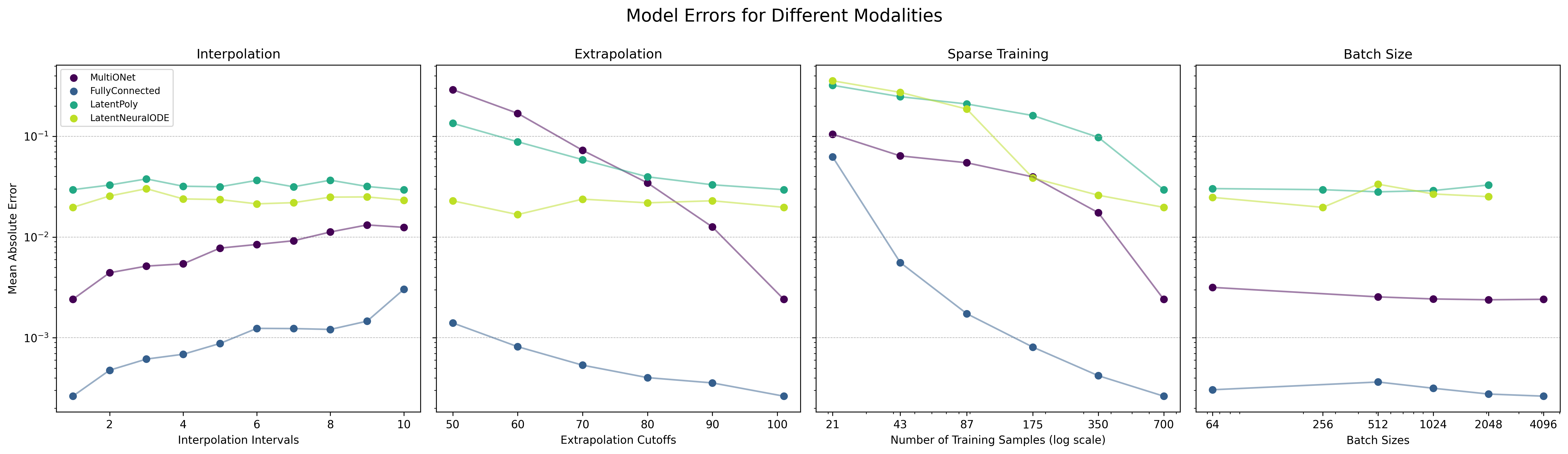
Scaling curves show how the MAE evolves for different modality settings and surrogate architectures. Use them to gauge how much extra training time is required to reach diminishing returns.#
Practical guidance#
Start narrow — toggle one modality at a time when prototyping (interpolation is a good first candidate). Modalities multiply training duration rapidly.
Resume friendly — because each modality corresponds to independent tasks, you can stop the training script mid-run and resume later; completed modalities stay finished.
Evaluation switches are separate — Modalities that were trained are evaluated automatically, but the extra diagnostics are guarded by evaluation switches (
losses,timing,compute, …). Enable those in your config if you want the corresponding plots/tables.
Interpolation#
Interpolation studies remove every n-th timestep, forcing the surrogate to reconstruct the skipped samples. This probes how well the model captures short-term continuity.
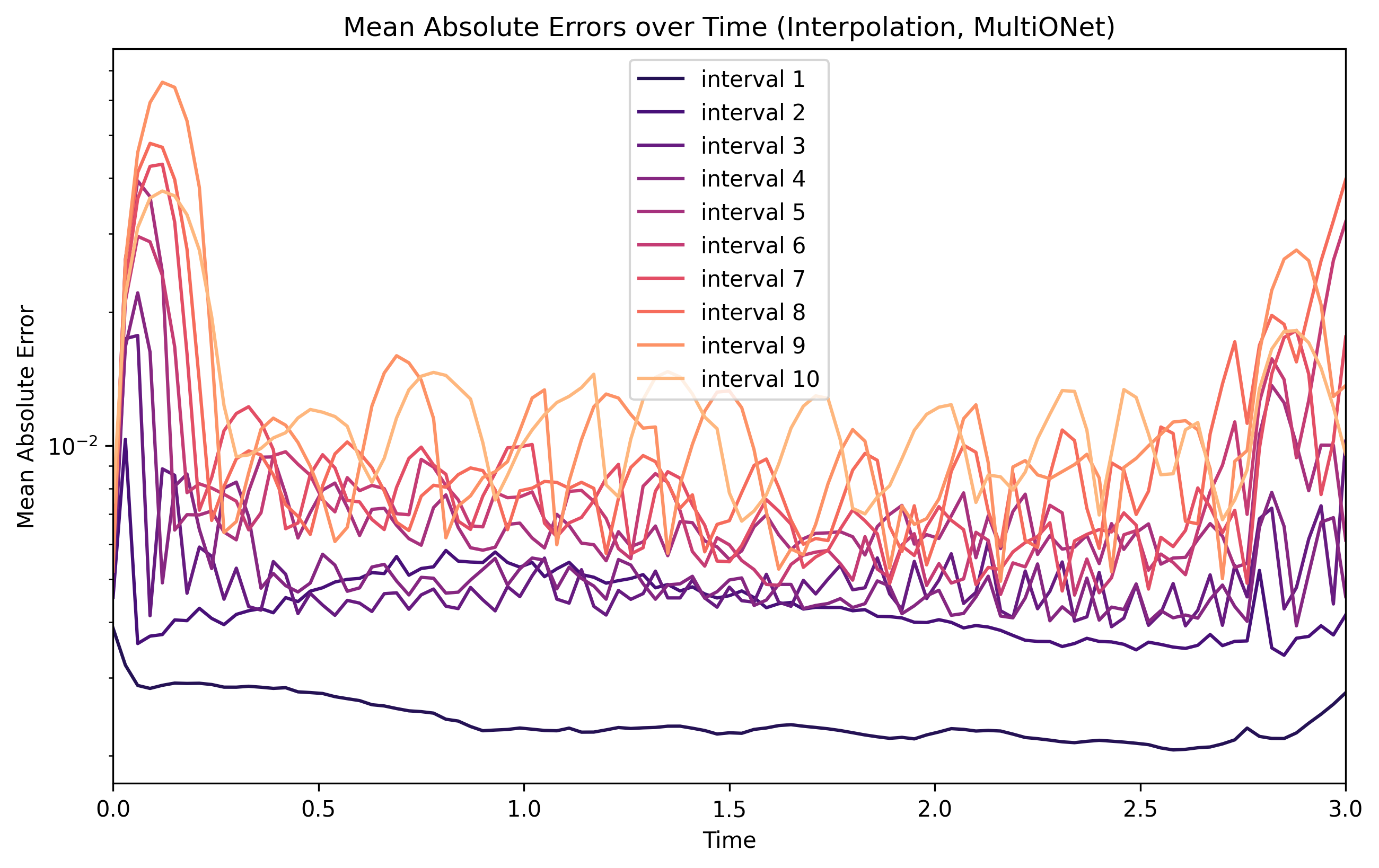
Interpolation MAE over time for several interval widths. When the distance between time steps increases, one can often observe error spikes between them.#
Extrapolation#
Extrapolation truncates trajectories earlier than usual, then evaluates them beyond the cutoff. It measures long-horizon drift and whether error grows gracefully or catastrophically.
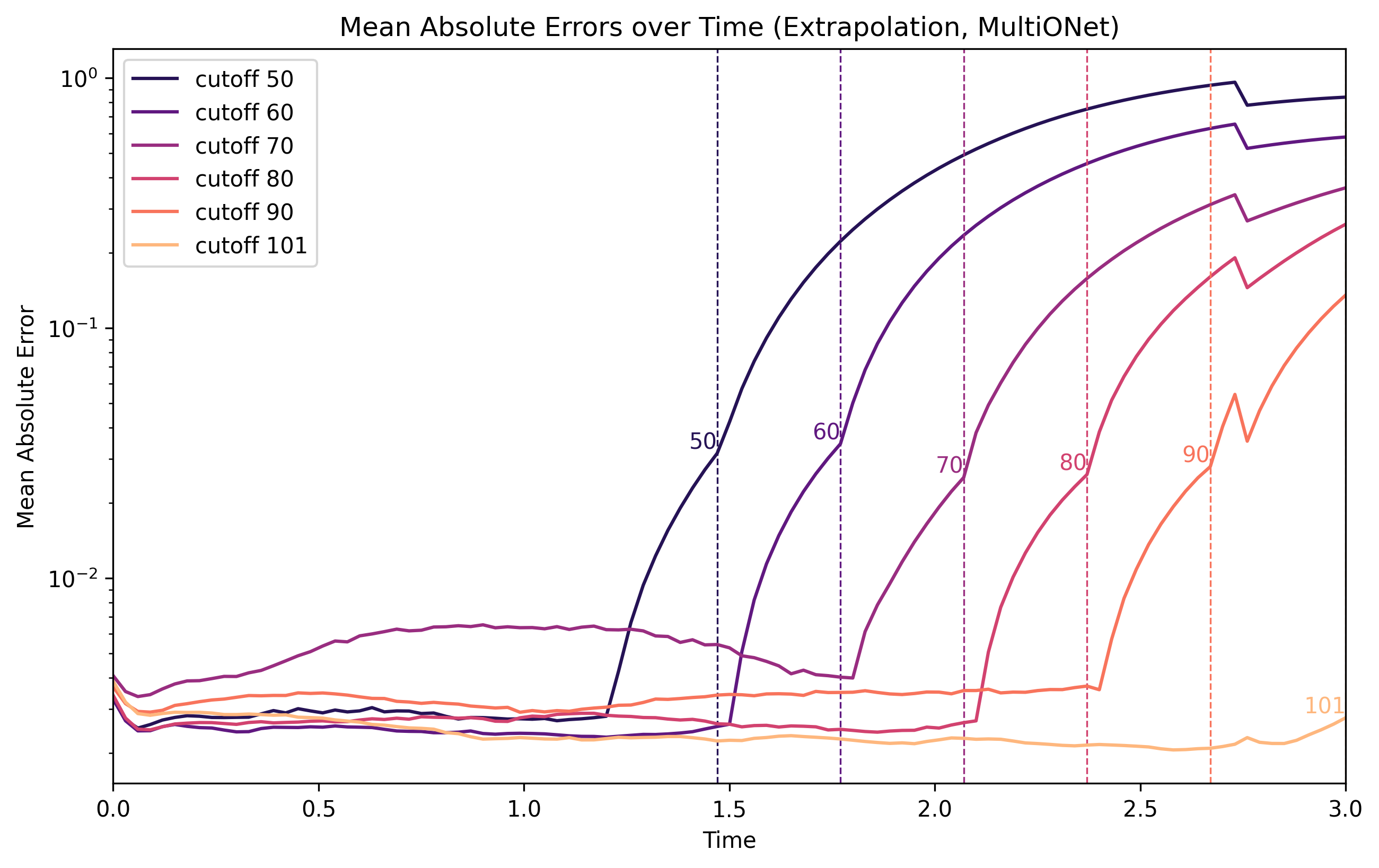
Extrapolation runs reveal how quickly MAE explodes once the model leaves the training time window.#
Sparse data#
Sparse training reduces the number of observations before fitting, emulating limited-data scenarios. Use this to judge how robust an architecture is when only every k-th observation is available.
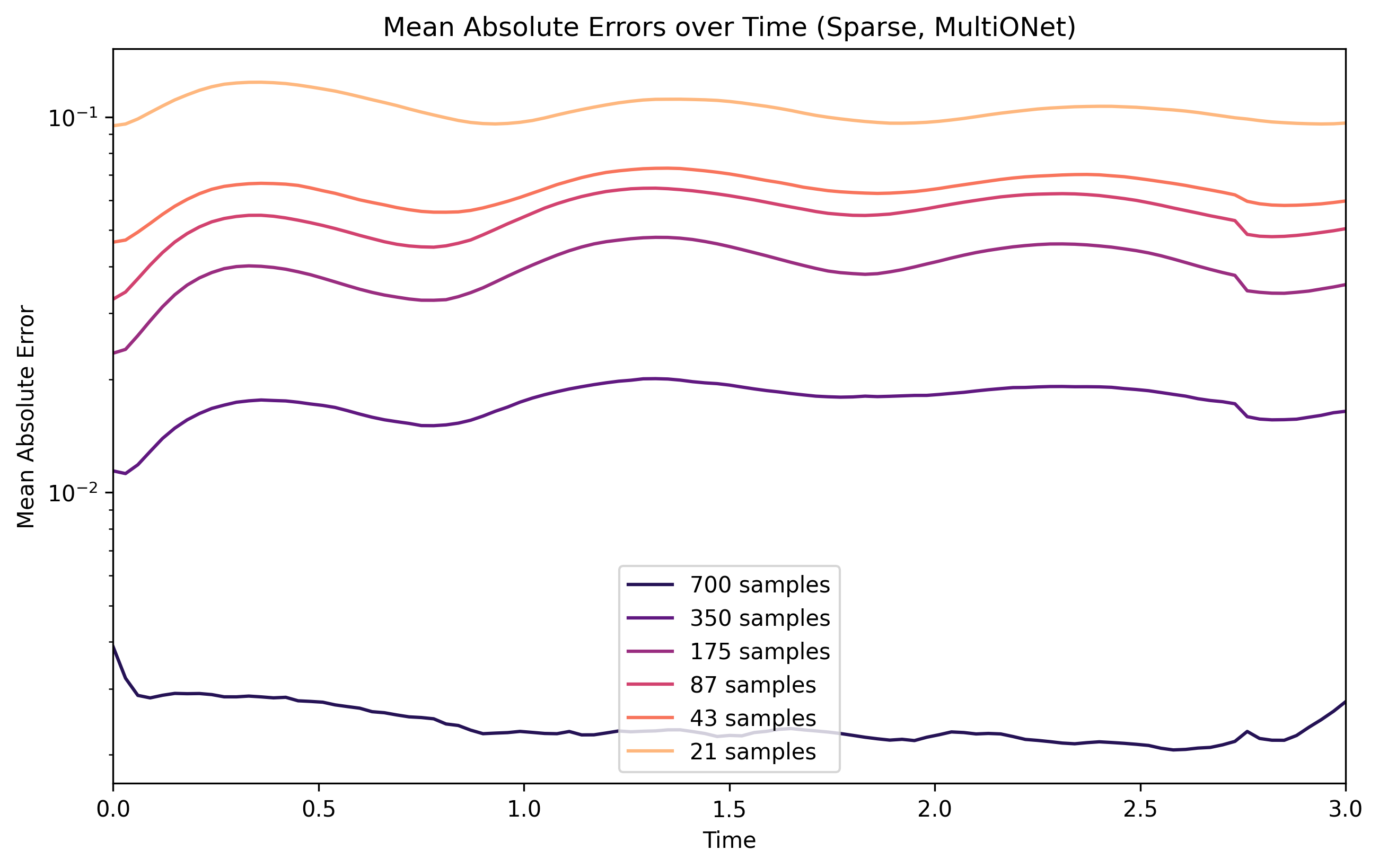
Reducing the numer of samples (sets of trajectories) shows how MAE changes with fewer observations, revealing how efficiently the model extracts information from samples, and equivalently informing whether more training data could help improve this surrogate’s performance.#
Batch scaling#
Batch scaling sweeps different batch sizes and records how accuracy/timing behave. This is useful to identify sweet spots for throughput without impacting convergence too heavily. Combine the results with the timing evaluation to compare throughput across surrogates.
See the :doc:configuration reference </reference/configuration> for the exact YAML schema and defaults.